
I still remember hearing stories about authors mailing out manuscripts to a dozen agents and waiting six months just to hear nothing back. That world hasn’t disappeared exactly, but it’s no longer the only door in the building. For most authors right now, it isn’t even the fastest one.
Here’s the short version. A self published book can move from a Word file on your laptop to a live Amazon listing in a few weeks. You keep the rights. You set the price. Nobody rewrites your ending on you halfway through. That’s basically the whole appeal, and it’s why plenty of authors who probably could land a traditional deal choose not to bother chasing one.
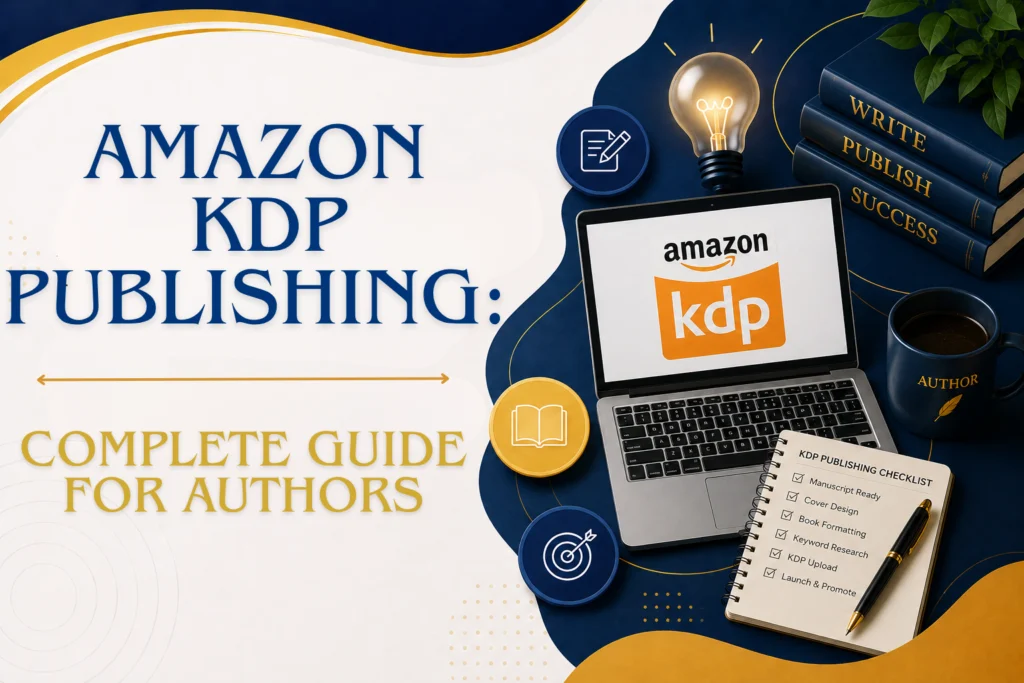
This guide follows the order you’ll actually hit these steps in, starting with the manuscript and ending with your book sitting on a real shelf, whether that shelf is digital or made of actual wood. Maybe you’ll work with a team like Pacific Press Publishing for parts of it. Maybe you’ll stubborn your way through the whole thing solo. Both work. Here’s what it actually looks like either way.
What Are the Steps to Self Publish a Book?
The order shifts a bit from author to author but not by much. Most self published books go through roughly this sequence.
- Finish the manuscript and get it edited. Typing “the end” doesn’t mean the draft is done, not even close. A developmental edit, a line edit, and a proofread all need to happen before this file goes near a publishing platform.
- Get a cover designed. People really do judge books by their covers, and a weak one can quietly sink a good book before a single page gets read.
- Format the interior. Print and ebook are basically different animals here, and each platform has its own technical requirements for how the file needs to look.
- Figure out the ISBN question. Free platform assigned number or your own purchased one? More on that below.
- Pick your platforms. Amazon KDP, Barnes and Noble Press, IngramSpark, Lulu. They don’t all do the same thing.
- Upload and hit publish. Set your price, check the proof one more time, go live.
- Start marketing. Nobody warns new authors about this part enough. Publishing the book is step one, not the finish line.
A couple of these steps trip people up more than the rest, so let’s slow down and go through them properly.
How to Prepare Your Manuscript for Self Publishing
Before you even think about covers or platforms, the manuscript itself needs to actually be ready. This is where most first time authors underestimate just how much is left to do.
Start with a structural pass. Does the story or the content actually flow the way you think it does when you’re the one who wrote it? Then a copy edit for grammar and consistency, and after that a proofread to catch whatever everyone else missed. A lot of authors bring in beta readers around here too, mostly because after a year of staring at the same 80,000 words, you stop being able to see your own blind spots.
Once the writing part is locked, formatting takes over, and this is its own headache. Fonts have to be consistent. Chapter breaks need to land where they’re supposed to. You’ll need front matter, a title page, a copyright page, sometimes a table of contents depending on what kind of book it is. Honestly this is exactly where services like Pacific Press Publishing tend to get pulled in, because formatting software has a learning curve of its own and most authors would rather be writing book two.
What Files Do You Need to Self Publish a Book?
Different platforms want different files, so it helps to know what you’re building toward before you open any formatting software.
- Print interior file. A print ready PDF, fonts embedded, correct trim size, margins, bleed, all of it dialed in.
- Print cover file. One wraparound PDF, front, spine, and back all in a single file, sized to your exact page count. Change the page count later and yes, you have to resize this again.
- Ebook file. Almost always an EPUB. It’s the standard across ebook publishing platforms including Amazon Kindle.
- Ebook cover image. A separate high resolution JPEG or PNG. Not the same file as your print cover, even though people try that sometimes.
- Manuscript source file. Hang onto your original Word or InDesign document in case you need to make edits or republish down the road.
A surprising number of uploads get bounced because one of these files is off by a small margin somewhere. That’s usually the reason authors end up bringing in someone who does this formatting work for a living instead of guessing.
Do You Need an ISBN to Self Publish?
Not necessarily, and honestly it comes down to what you’re actually trying to do with the book. If you’re only publishing an ebook, Amazon KDP and most other platforms hand you a free identifier automatically, no purchase needed. Print books work about the same way, KDP assigns a free ISBN, though technically that lists them as the publisher of record instead of you.
If you want your own imprint listed as the publisher, or you’re planning to go through IngramSpark, or you want your book sitting in actual bookstores and libraries beyond Amazon, buying your own ISBN is the smarter call. In the US that means going through Bowker. One thing that catches people off guard, each format of your book, paperback, hardcover, ebook, technically needs its own separate ISBN.
How to Distribute a Self Published Book
Getting the book out into the world really comes down to a handful of solid options, and how wide you go depends on what you’re going for.
Amazon KDP is where most people start, and there’s a good reason for that. It puts your book in front of the biggest online bookstore on the planet and lets you handle ebook and print on demand paperback from one dashboard. Barnes and Noble Press does something similar for their Nook store and print catalog. If you’re after reach beyond Amazon, into bookstores, libraries, international retailers, IngramSpark is the industry standard, and it connects to thousands of retail and library systems most authors never even think to look for.
Some authors publish on every platform at once, people call this going wide, to give themselves the widest possible shot at readers finding them. Others stay exclusive to Amazon through KDP Select, trading that flexibility for things like Kindle Unlimited enrollment. Book publishing services that focus on multi platform work, Pacific Press Publishing being one of them, can manage all of these uploads at the same time so pricing, metadata, and cover images stay consistent no matter where someone finds the book.
How Long Does Self Publishing Take?
Timelines really swing depending on how finished the manuscript already is, but here’s a fairly realistic breakdown assuming the actual writing is done.
- Editing. Two to six weeks, depending on how many rounds the manuscript genuinely needs.
- Cover design. One to two weeks for something custom and done properly.
- Interior formatting. Three to seven days for both print and ebook files.
- Platform review. Roughly twenty four to seventy two hours for Amazon KDP to approve the listing.
- Start to finish, total. Somewhere around four to eight weeks once the final manuscript is locked, assuming nothing major changes along the way.
Everyone wants to rush this part. Almost everyone who rushes it ends up regretting at least one decision later on. Giving editing and formatting real time tends to pay off more than people expect going in.
Self Publishing Checklist for First Time Authors
Before hitting that publish button, run through this self publishing checklist so nothing important slips through the cracks.
- Manuscript fully edited and proofread
- Interior formatting matches the trim size you actually chose
- Front matter complete, title page, copyright page, all of it
- Print cover file sized correctly, spine width calculated for the final page count
- Ebook cover image meets whatever resolution the platform requires
- ISBN decision made, and assigned to the right format if purchased
- Author account already set up on your chosen platform
- Book description, keywords, and categories written for the listing
- Pricing set for both ebook and print
- Proof copy ordered and actually reviewed before going fully live
Working through this list in order tends to catch formatting or metadata problems before they end up live on the actual sales page, which is a much better place to catch them.
How Pacific Press Publishing Can Help
Everything above is doable solo. Plenty of authors do exactly that and are fine. But there’s real value in working with book publishing services who already know what each platform expects, mostly because rejections almost always come down to something small and technical that’s easy to miss the first time around. Pacific Press Publishing handles manuscript formatting, cover design, ISBN guidance, and distribution across Amazon KDP, Barnes and Noble Press, IngramSpark, and Lulu, so the book goes live correctly the first time instead of bouncing back with some error message nobody bothers to explain.